


How to Reduce Fake Signups and Improve SaaS User Quality With Email Validation
More signups sound like good news for any SaaS business.
But raw signup volume doesn't always represent real growth.
A SaaS application can receive thousands of registrations while a significant portion of those accounts contribute little or no genuine product activity. Some may come from automated scripts, repeated free-trial attempts, malformed email addresses, temporary inboxes, or users creating multiple accounts to access incentives more than once.
The result is a frustrating situation:
Your signup numbers go up while the quality of your user base goes down.
That can affect much more than a dashboard metric.
Fake and low-quality signups can consume:
-
Free-trial resources
-
API credits
-
Database storage
-
Transactional email volume
-
Customer-support time
-
Onboarding resources
-
Analytics capacity
-
Marketing automation
-
Engineering resources
They can also make it harder to understand what's actually happening in your acquisition funnel.
A registration is only the beginning of the customer journey:
Visitor
   ↓
Signup
   ↓
Email verification
   ↓
Activation
   ↓
Product usage
   ↓
Retention
   ↓
Paid customer
If low-quality accounts enter at the first step, every metric downstream can become harder to interpret.
This is why SaaS companies increasingly look at signup quality, not just signup quantity.
One particularly useful first layer is email validation.
Email validation can help identify malformed addresses, questionable domains, disposable email addresses, and other signals before an account receives valuable resources.
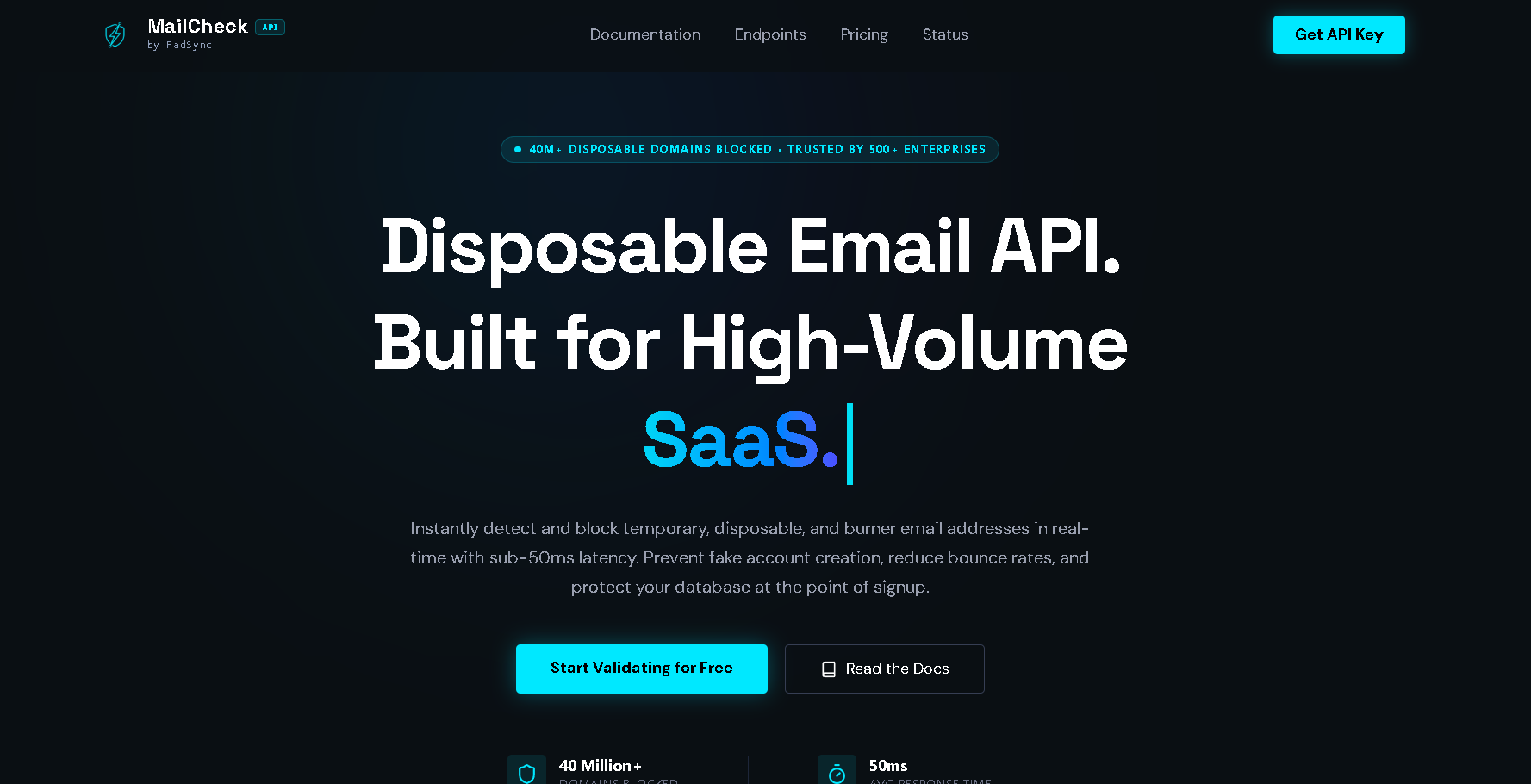
For developers building this functionality into a signup flow, a service such as MailCheck API can provide an application-level email-validation layer that can be combined with rate limiting, bot protection, account controls, and business rules.
The goal isn't to reject every unusual user.
The goal is to reduce fake signups while keeping legitimate users moving through the signup experience with as little friction as possible.
What Are Fake Signups?
"Fake signup" can mean several different things.
It doesn't necessarily mean that a person is completely fictional.
A better definition is:
A signup that doesn't represent a meaningful, legitimate customer or product-use opportunity for the business.
Examples include:
-
Automated bot registrations
-
Repeated free-trial accounts
-
Disposable-email registrations
-
Invalid email addresses
-
Fake promotional accounts
-
Accounts created solely to consume free resources
-
Script-generated registrations
-
Duplicate accounts
-
Registrations that never complete verification
These categories can overlap.
For example:
Automated script
      ↓
Creates account
      ↓
Uses disposable email
      ↓
Claims free trial
      ↓
Creates another account
Email validation won't solve every step of that chain.
But it can intervene early.
Why Fake Signups Are a SaaS Problem
A fake signup isn't necessarily expensive by itself.
One unused account might consume almost nothing.
The problem appears when the behavior scales.
Imagine a SaaS application offering:
-
14-day trials
-
5,000 free API requests
-
free document processing
-
cloud storage
-
AI credits
-
premium features
If a person or automated system repeatedly creates accounts, every registration can have a variable cost.
For example:
1 account
×
5,000 free API calls
=
5,000 potentially subsidized calls
Now multiply that by hundreds of registrations.
The business problem becomes much larger.
Community discussions from SaaS founders show that free-tier abuse and disposable-email registrations can become significant operational problems, particularly for products where every new account receives valuable resources.
That is why signup protection should be treated as an economic and data-quality problem, not simply a security problem.
Fake Signups Can Pollute Your Analytics
Consider this funnel:
10,000 visitors
      ↓
2,000 signups
      ↓
1,000 activated
      ↓
200 paid
Now imagine that 500 of those signups are automated or low-quality.
Your actual customer funnel may look more like:
10,000 visitors
      ↓
1,500 meaningful signups
      ↓
1,000 activated
      ↓
200 paid
The raw signup-to-activation percentage can therefore be misleading.
Poor-quality registrations can affect measurements such as:
-
Signup conversion rate
-
Activation rate
-
Trial conversion
-
Retention
-
Customer acquisition cost
-
Cohort performance
-
Lead quality
-
Marketing-channel performance
This doesn't mean every non-paying user is fake.
A legitimate user may simply decide not to continue.
The important distinction is between normal product churn and accounts that never represented a meaningful customer opportunity in the first place.
Email Validation as the First Quality Filter
One of the simplest ways to improve signup quality is to validate the email address before giving the account access to valuable resources.
A basic flow looks like:
User enters email
       ↓
Email validation
       ↓
Is the address acceptable?
       ↓
Signup decision
A modern email validation system can evaluate multiple signals rather than simply checking whether an address contains an @ symbol.
Depending on the provider and endpoint, validation can involve:
-
Syntax
-
Domain information
-
MX/DNS information
-
Disposable status
-
Role-account signals
-
Free-provider information
-
Risk indicators
The exact signals vary between services.
The key idea is that:
A syntactically correct email address isn't automatically a high-quality signup.
What Is a Disposable Email Address?
A disposable email address is a temporary address designed for short-term use.
Someone might use one to:
-
complete a one-time registration
-
avoid marketing messages
-
protect privacy
-
test an application
-
create a temporary identity
-
repeatedly access free resources
It's important not to treat every disposable-email user as malicious.
Some people use temporary addresses for legitimate privacy reasons.
The SaaS business question is different:
Does allowing temporary addresses create enough abuse or business risk that the signup should be restricted?
That answer depends on your product.
Why Disposable Emails Can Affect SaaS User Quality
Consider a free-trial SaaS product.
A person creates:
Account #1
↓
14-day trial
The trial ends.
They create:
Account #2
↓
14-day trial
Then:
Account #3
↓
14-day trial
If disposable email addresses make this process easy, your product may effectively provide repeated trials to the same person.
The result can include:
-
higher infrastructure costs
-
inflated signup numbers
-
lower trial-to-paid conversion
-
inaccurate user cohorts
-
additional onboarding email
-
increased support noise
Email validation can help identify this pattern earlier.
Email Validation Doesn't Mean Blocking Everyone
One of the biggest mistakes SaaS teams can make is treating every suspicious signal as an automatic rejection.
For example:
Disposable = true
      ↓
Reject everyone
may be too aggressive for some products.
A better approach is to define policies.
For example:
Normal email
   ↓
Allow signup

Disposable email
   ↓
Restrict free trial

High-risk result
   ↓
Additional verification

Invalid email
   ↓
Ask user to correct it
This gives your business more control.
A Risk-Based Signup Model
Instead of thinking only in terms of:
ALLOW
BLOCK
consider:
ALLOW
REVIEW
RESTRICT
BLOCK
For example:
| Signal | Possible action |
|---|---|
| Valid normal email | Allow |
| Valid disposable email | Restrict trial |
| Invalid syntax | Ask user to correct |
| Missing MX | Review or reject |
| Suspicious signup velocity | Additional protection |
| Bot-like behavior | Challenge or block |
The precise policy should be based on your product and user base.
Why Email Validation Should Happen Early
Timing matters.
If you wait until several hours after account creation, you may already have:
Account
+
Trial
+
Credits
+
Emails
+
Storage
A better architecture can perform validation before expensive resources are assigned.
For example:
Signup request
       ↓
Email validation
       ↓
Business rules
       ↓
Account creation
       ↓
Trial allocation
This makes email validation a pre-provisioning quality check.
The Signup Pipeline Should Be Layered
Email validation isn't a complete anti-abuse system.
A stronger SaaS signup architecture might look like:
                    Signup
                       ↓
              Request rate limit
                       ↓
               Basic validation
                       ↓
                Bot detection
                       ↓
               Email validation
                       ↓
              Disposable detection
                       ↓
             Account history check
                       ↓
              Trial eligibility
                       ↓
                 Create account
Each layer addresses a different problem.
This is much stronger than expecting email validation to identify every fraudulent registration.
Layer 1: Rate-Limit the Signup Endpoint
Before thinking about email quality, protect the endpoint itself.
Suppose your application allows:
POST /signup
An automated client could potentially send many requests.
Use application-level rate limiting to control:
-
Requests per IP
-
Requests per account
-
Requests per email domain
-
Requests per session
-
Requests over time
The exact implementation depends on your infrastructure.
The purpose is simple:
Don't let one source generate unlimited signup attempts.
Layer 2: Validate Email Syntax
Before calling an external email API, perform basic validation locally.
This can catch obvious mistakes such as:
userexample.com
or:
user@@example.com
This saves unnecessary API requests.
The flow becomes:
User input
   ↓
Local syntax check
   ↓
Valid?
  / \
No   Yes
 |     |
Fix   Email API
This is also useful for reducing API usage.
Layer 3: Validate the Domain
A correctly formatted address can still belong to a problematic or non-functional domain.
For example:
person@example-invalid-domain
may look structurally reasonable but have no usable mail infrastructure.
Domain and DNS checks can therefore provide another layer of information.
Layer 4: Detect Disposable Domains
This is where disposable-email detection becomes particularly useful.
A validation API can check whether the domain is associated with known temporary-email services.
For a SaaS product that offers valuable free trials, this signal can feed directly into eligibility rules.
For example:
if (emailResult.is_disposable) {
    return restrictTrial();
}
The exact implementation should follow the provider's current API response format.
MailCheck's public API documentation describes disposable-email detection as part of its email-validation workflow. You can review the current MailCheck documentation for the latest response fields and integration examples.
Layer 5: Protect Against Bots
Email validation won't stop a bot that uses a large collection of legitimate-looking email addresses.
That's why bot protection should remain separate.
Depending on the risk profile of your application, you may use:
-
Rate limiting
-
CAPTCHA or challenge systems
-
Browser signals
-
Device or session controls
-
Signup velocity checks
-
Behavioral signals
The objective is to combine signals rather than relying on one indicator.
Layer 6: Track Signup Velocity
Imagine this sequence:
Account A → 10:00
Account B → 10:01
Account C → 10:01
Account D → 10:02
Account E → 10:02
...
If hundreds of accounts originate from the same environment within a short period, that may deserve additional scrutiny.
Velocity can be more informative when combined with email validation.
For example:
Disposable email
+
High signup velocity
=
Higher-risk event
Whereas:
Disposable email
+
Normal signup behavior
=
Potentially lower-risk event
The exact policy depends on your application.
Don't Confuse Disposable Emails With Invalid Emails
These are different categories.
Invalid email
The address may be malformed or otherwise unusable.
Disposable email
The address may function correctly but be temporary.
Therefore:
Invalid
≠
Disposable
Your application should keep those signals separate.
Why "Free Email Provider" Doesn't Mean "Fake"
This is another important distinction.
A Gmail, Outlook, Yahoo, or similar address can belong to a completely legitimate customer.
You shouldn't automatically assume:
Free email provider
=
Fake user
A large percentage of genuine users may use consumer email accounts.
Blocking all free providers can reduce legitimate conversions.
The more useful question is:
Is this address disposable, invalid, or otherwise risky in the context of this signup?
Role Accounts Need Context Too
Addresses such as:
[email protected]
[email protected]
[email protected]
[email protected]
may be legitimate.
A B2B SaaS product may want to treat role addresses differently from a consumer application.
Again, the right solution is a business rule rather than a universal rejection.
Use Email Validation to Protect Free Trials
Free trials are one of the clearest use cases.
Suppose your product gives:
14 days
+
Premium features
+
10,000 API credits
You can make trial eligibility depend on multiple signals.
For example:
Valid email
      +
Not disposable
      +
Normal signup behavior
      ↓
Full trial
A higher-risk signup might receive:
Account
+
Limited access
instead.
This can reduce the economic incentive for repeated trial creation.
Don't Make Legitimate Users Solve a Puzzle
The best anti-abuse system is often invisible.
A legitimate user should ideally experience:
Enter email
   ↓
Quick validation
   ↓
Continue
rather than:
Enter email
   ↓
CAPTCHA
   ↓
SMS verification
   ↓
Identity check
   ↓
Manual review
Every additional step can create friction.
Therefore, use stronger friction only when the risk justifies it.
Use Progressive Friction
A useful model is:
Low risk
   ↓
No additional friction

Medium risk
   ↓
Email verification

Higher risk
   ↓
Additional challenge

Very high risk
   ↓
Restrict signup
This is often better than forcing every user through the strictest possible flow.
How Email Validation Improves Data Quality
The value of email validation isn't limited to fraud prevention.
It can also improve the quality of your database.
Consider the difference between:
100,000 registered accounts
and:
80,000 usable, meaningful accounts
The second number may be much more valuable.
Cleaner data can make:
-
Cohort analysis
-
Activation measurement
-
Retention analysis
-
Customer segmentation
-
Lifecycle messaging
-
Sales qualification
more meaningful.
Improve Your Activation Metrics
Suppose your dashboard says:
Signup → Activation
40%
If 20% of signups are low-quality accounts, your effective activation rate among meaningful users could be very different.
By filtering obvious low-quality registrations earlier, your analytics can better represent actual product interest.
This doesn't magically increase customer conversion.
Instead, it gives your team cleaner measurements.
Improve Lifecycle Email Quality
Fake and invalid registrations can also cause unnecessary email attempts.
If your application automatically sends:
-
Welcome email
-
Product tutorial
-
Trial reminders
-
Feature announcements
-
Upgrade messages
to low-quality addresses, those messages create unnecessary traffic and can generate bounces.
Email validation can therefore help reduce bad addresses entering downstream communication workflows.
Protect Your Support Team
Imagine your support team sees:
10,000 new users
but many are empty or abusive accounts.
Support systems may contain:
-
duplicate accounts
-
empty profiles
-
fake names
-
unreachable emails
-
repeated trial accounts
Improving signup quality reduces some of this noise.
Your support team can spend more time helping genuine customers.
Protect Your Database
Every account may create:
-
User record
-
Organization record
-
Trial record
-
Event records
-
Analytics records
-
Preferences
-
Email subscriptions
One fake account might be cheap.
A million fake accounts can become an engineering problem.
That's why filtering at the signup boundary is often preferable to cleaning the database afterward.
Prevention Is Usually Better Than Cleanup
There are two approaches.
Approach A: Clean later
Create everything
      ↓
Detect bad accounts
      ↓
Delete them
Approach B: Validate earlier
Signup
      ↓
Validate
      ↓
Apply policy
      ↓
Create appropriate account
Approach B can prevent unnecessary downstream work.
That doesn't mean cleanup isn't useful.
Existing databases may already contain low-quality addresses.
In that case, periodic bulk validation can complement real-time signup checks.
Real-Time Validation + Periodic Cleanup
A mature SaaS strategy can use both.
New signup
   ↓
Real-time validation
and:
Existing database
   ↓
Periodic bulk validation
This creates two protection layers:
Prevention
Stop obvious low-quality registrations from entering.
Maintenance
Identify accounts that have become problematic or were missed previously.
MailCheck as a Real-Time Email Validation Layer
MailCheck by FadSync is positioned around email validation and disposable-email detection for developer workflows.
Its public site describes features including:
-
Real-time email validation
-
Disposable-email detection
-
MX/DNS checks
-
Risk scoring
-
Bulk validation
-
Domain validation
-
REST API access
-
Developer SDKs
You can review the current MailCheck API and its developer documentation for implementation details.
For a SaaS application, the basic architecture can be:
Signup Form
     ↓
Your Backend
     ↓
MailCheck API
     ↓
Email Result
     ↓
Signup Policy
The important point is that the API provides signals.
Your SaaS application decides what those signals mean.
Example MailCheck Signup Logic
A simplified server-side pattern might look like:
const result = await validateEmail(email);

if (!result.is_valid_format) {
    return {
        allowed: false,
        reason: "invalid_email"
    };
}

if (result.is_disposable) {
    return {
        allowed: false,
        reason: "disposable_email"
    };
}

return {
    allowed: true
};
For production applications, you may want a more nuanced policy.
For example:
if (!result.is_valid_format) {
    return rejectSignup();
}

if (result.is_disposable) {
    return restrictTrial();
}

if (result.risk_score >= 80) {
    return requireAdditionalVerification();
}

return allowSignup();
The exact fields and thresholds should be based on your current API contract and your own testing.
Get Started With a Free API Key
One advantage of testing an email-validation system before production is that you can measure how it behaves against your actual signup traffic.
MailCheck currently provides a free starting option.
You can get a MailCheck API key and test the integration against your own application.
Before production deployment, review the current MailCheck pricing, API limits, documentation, and response behavior.
A sensible implementation process is:
Prototype
   ↓
Test real examples
   ↓
Measure false positives
   ↓
Measure latency
   ↓
Design signup policy
   ↓
Monitor production
Don't Block Legitimate Users Without Testing
Before enabling a hard block, create a test set.
Include:
-
Personal email addresses
-
Business addresses
-
Common free providers
-
Role addresses
-
Disposable addresses
-
Invalid addresses
-
Domains with unusual configurations
Then measure:
True positives
False positives
False negatives
Latency
The objective is to make your filter useful without accidentally rejecting genuine customers.
False Positives Matter
Suppose your system correctly blocks 1,000 fake registrations.
Great.
But suppose it also blocks 200 legitimate customers.
That's a serious problem.
Anti-abuse systems should therefore be evaluated on both sides:
Bad users stopped
+
Good users preserved
The second metric is just as important.
Measure Signup Quality Instead of Just Signup Volume
Create a dashboard that tracks:
| Metric | Why it matters |
|---|---|
| Total signups | Acquisition volume |
| Valid-email rate | Basic data quality |
| Disposable-email rate | Temporary-address usage |
| Activation rate | Product engagement |
| Trial conversion | Business quality |
| Paid conversion | Revenue quality |
| Repeat signup rate | Potential abuse |
| Signup velocity | Automation signal |
| Support tickets per signup | Operational quality |
This gives your team a much more complete picture.
A Better KPI: Qualified Signup Rate
Instead of only tracking:
Number of signups
consider tracking:
Qualified signups
-----------------
Total signups
A qualified signup could mean:
-
Valid email
-
Verification completed
-
No obvious disposable address
-
Normal account behavior
-
Meaningful product activity
The definition should be customized to your SaaS.
Example
Suppose you receive:
20,000 signups
After applying your quality criteria:
15,500 qualified
Your qualified signup rate is:
15,500 / 20,000 = 77.5%
That can be a more useful growth metric than simply reporting 20,000 registrations.
Don't Optimize for a Zero Fake-Signup Rate
A perfect zero may not be realistic.
Trying to eliminate every questionable signup can create excessive friction.
The better goal is:
Reduce economically meaningful abuse while preserving legitimate conversion.
This is an optimization problem.
You are balancing:
Fraud prevention
       ↕
User experience
       ↕
Conversion
       ↕
Operating cost
When Should You Block a Disposable Email?
The answer depends on the product.
Product with expensive free resources
Blocking or restricting disposable addresses may make sense.
Product with low marginal cost
Allowing them may be acceptable.
Privacy-oriented product
You may want to be more tolerant.
Enterprise SaaS
You may have different policies for business domains.
There is no universal rule.
A Better Alternative to Hard Blocking
Instead of:
Disposable email
      ↓
Reject
you could:
Disposable email
      ↓
Account created
      ↓
No promotional credits
      ↓
Require verified email for premium features
This can preserve accessibility while reducing the economic incentive for abuse.
Combine Email Validation With Account Limits
Email validation is more powerful when combined with resource controls.
For example:
Disposable email
+
New account
+
High signup velocity
+
Repeated trial history
could trigger:
Limited trial
Whereas:
Normal email
+
Normal signup velocity
+
No prior account
could receive:
Full trial
This is a much richer decision than one binary email check.
Protect Your Highest-Value Resources
Not every feature needs the same level of protection.
Suppose your SaaS has:
Free account
 ↓
Basic features
and:
Premium action
 ↓
Expensive AI processing
You can allow broader signup access while protecting expensive operations.
For example:
Signup
 ↓
Email validation
 ↓
Basic account
 ↓
Premium feature
 ↓
Stronger eligibility check
This reduces unnecessary friction.
Rate-Limit Repeated Signup Attempts
Email validation should be combined with your own application rate limits.
For example:
IP
+
Session
+
Email
+
Account
can each have appropriate limits.
The goal isn't to identify a person perfectly.
The goal is to make automated mass registration less economically attractive.
Don't Rely Only on IP Address
IP addresses can change and may be shared.
A university, company, household, or mobile network may have many legitimate users behind one address.
Therefore:
IP alone
is a weak decision signal.
Combine it with:
-
Email quality
-
Signup velocity
-
Session behavior
-
Account history
-
Trial history
where appropriate.
Create an Internal Risk Model
You don't necessarily need machine learning.
A simple rules engine can be effective.
For example:
Disposable email       +40
Invalid domain         +50
High signup velocity   +30
Repeated trial         +40
Normal behavior        -20
Verified email         -20
Then:
0–29    → Allow
30–59   → Review/restrict
60–79   → Challenge
80+     → Block
These numbers are merely illustrative.
Your actual thresholds should be based on your own data.
Why Rules Should Be Tunable
Attack patterns change.
A rule that works today may become too aggressive tomorrow.
Therefore, don't hard-code every decision permanently.
Store policies in configuration:
{
  "disposableEmail": "restrict_trial",
  "invalidEmail": "reject",
  "highRisk": "challenge"
}
This lets your team adjust behavior without rewriting the entire signup system.
Monitor What Happens After You Deploy
Don't stop after adding email validation.
Measure the impact.
Compare:
Before
vs.
After
Track:
-
Signup volume
-
Qualified signup rate
-
Activation
-
Trial conversion
-
Paid conversion
-
Disposable-email percentage
-
Support load
-
Infrastructure usage
You want evidence that the system is improving the business.
Run an A/B Test When Appropriate
For example:
Group A
Existing signup process.
Group B
Email validation enabled.
Compare:
Signup conversion
Activation
Trial conversion
Paid conversion
Abuse rate
A/B testing can reveal whether stronger filtering actually improves overall business outcomes.
Don't Measure Success by Blocks Alone
Suppose:
10,000 signups
and your system blocks:
2,000
That doesn't automatically mean success.
What happened to the remaining 8,000?
Did:
-
Activation improve?
-
Trial conversion improve?
-
Revenue improve?
-
Support load decline?
-
Legitimate signup conversion fall?
The business result matters more than the block count.
Email Validation and SEO Authority
For SaaS companies building an authoritative technical content strategy around email validation, this topic connects naturally to several related subjects:
-
Disposable email detection
-
Fake signup prevention
-
SaaS trial abuse
-
Email validation APIs
-
API rate limiting
-
Clerk integration
-
Next.js signup protection
-
Free-trial protection
-
Email verification
-
User-data quality
These topics form a useful topical cluster because they address different stages of the same problem.
A developer searching for "reduce fake signups" may eventually need to know:
How do I detect disposable emails?
        ↓
How do I call the API?
        ↓
How do I handle rate limits?
        ↓
How do I integrate it into Next.js?
        ↓
How do I protect free trials?
That is why comprehensive technical content can establish stronger topical relevance than isolated promotional pages.
Build an Internal Signup Quality Pipeline
A mature SaaS product can eventually evolve toward:
                     SIGNUP
                       │
                       ▼
                Request Controls
                       │
                       ▼
                Syntax Validation
                       │
                       ▼
                Email Validation
                       │
             ┌─────────┴─────────┐
             ▼                   ▼
        Disposable             Normal
             │                   │
             ▼                   ▼
       Trial Policy         Risk Evaluation
             │                   │
             └─────────┬─────────┘
                       ▼
                 Bot / Velocity
                       │
                       ▼
                Account History
                       │
                       ▼
                Signup Decision
                       │
            ┌──────────┼──────────┐
            ▼          ▼          ▼
          Allow      Restrict    Block
This is a scalable way to think about signup quality.
The Role of MailCheck in That Pipeline
MailCheck doesn't need to be the entire fraud-prevention system.
Its most useful role can be the email intelligence layer.
Your application owns:
-
Authentication
-
Rate limiting
-
Account history
-
Trial rules
-
Resource allocation
-
User experience
MailCheck can provide email-related signals.
That separation creates a clean architecture:
Your SaaS
    ↓
Business logic
    ↓
MailCheck
    ↓
Email intelligence
Developers can explore the MailCheck API and API documentation to determine how those signals fit their application.
Start Small
You don't need to redesign your entire authentication system on day one.
A practical first implementation can be:
1. Validate email format locally
2. Send email to MailCheck
3. Check disposable status
4. Restrict disposable free trials
5. Monitor results
Then expand:
6. Add signup rate limiting
7. Add duplicate-account detection
8. Add trial history
9. Add risk scoring
10. Add bot protection
This incremental approach makes it easier to measure each change.
Keep the User Experience Simple
A good signup experience should feel like:
Email
Password
Create Account
while the complexity happens behind the scenes.
The user doesn't need to understand:
DNS
MX
risk scoring
domain reputation
rate limiting
Your infrastructure handles those details.
That's one of the biggest advantages of API-based email validation.
Frequently Asked Questions
How can SaaS companies reduce fake signups?
Start by validating email addresses during signup, detecting disposable addresses, rate-limiting signup attempts, adding appropriate bot protection, and protecting free-trial resources.
Email validation should be one layer of a broader signup-quality strategy.
Does email validation stop all fake accounts?
No.
It can identify email-related problems, but fake signups can also involve bots, automation, repeated account creation, suspicious traffic, and other behavior.
Use multiple signals.
Should SaaS companies block disposable emails?
Not always.
If disposable addresses are strongly associated with trial abuse in your product, blocking or restricting them can be useful.
If legitimate privacy-conscious users commonly use them, a softer policy may be better.
Is Gmail a fake email provider?
No.
A Gmail or other consumer email address can belong to a completely legitimate customer.
Don't confuse "free email provider" with "fake email."
What is the difference between email verification and email validation?
The terminology varies by provider.
Generally, email validation can refer to checking properties such as syntax, domain, DNS/MX, disposable status, and other signals.
Email verification can sometimes refer specifically to confirming ownership by sending a verification message.
A strong SaaS system may use both.
Should I validate email before creating an account?
For many SaaS products, validating before assigning expensive trial resources can be useful.
However, the exact order depends on your authentication architecture.
A common pattern is:
Signup request
 ↓
Email validation
 ↓
Account creation
 ↓
Trial eligibility
Can email validation improve SaaS analytics?
It can improve the quality of the data entering your funnel by filtering obvious invalid or temporary addresses.
However, it won't automatically make all remaining users legitimate or engaged.
Your analytics should still distinguish signup, activation, retention, and paid conversion.
Can I use MailCheck for SaaS signup protection?
MailCheck is designed as a developer-oriented email validation and disposable-email detection service. Its public materials describe real-time validation, disposable detection, risk information, and developer API integrations.
You can get started with MailCheck and review the current API documentation.
Is there a free MailCheck API option?
MailCheck currently lists a free Basic plan on its public pricing page.
Developers can test the API before deciding what level of usage they need. Check the current MailCheck pricing for the latest limits and plan details.
Final Takeaway
Reducing fake signups isn't about finding one magic filter.
It's about building a signup process that makes low-quality registrations less valuable and legitimate users easy to serve.
A strong SaaS approach looks like:
Local email validation
        +
Disposable-email detection
        +
Signup rate limiting
        +
Bot protection
        +
Account history
        +
Trial controls
        +
Monitoring
Email validation is particularly valuable because the email address is one of the earliest pieces of information a SaaS application receives.
You can use that signal before allocating expensive resources.
Instead of:
Signup
 ↓
Create everything
 ↓
Discover abuse later
build:
Signup
 ↓
Evaluate
 ↓
Validate
 ↓
Apply policy
 ↓
Provision appropriate resources
That shift can improve more than security.
It can improve the quality of your user database, the reliability of your analytics, the efficiency of your free-trial program, and the amount of engineering and infrastructure capacity spent on genuinely valuable users.
For SaaS developers, MailCheck can serve as the email-validation layer inside this broader architecture. Its public platform focuses on real-time email validation and disposable-email detection, giving developers an API-based way to evaluate email addresses during signup and other application workflows.
You can get a free MailCheck API key, explore the MailCheck API documentation, and review the current pricing plans before implementing it in production.
The most important principle is simple:
Don't optimize your SaaS for the maximum number of signups. Optimize it for the maximum number of legitimate, engaged users you can successfully serve.
When email validation is combined with sensible signup controls, disposable-email detection, rate limiting, and thoughtful trial policies, your signup funnel becomes more than a registration form.
It becomes the first quality-control layer for your entire SaaS business.
- Digital Agency
- Literie
- Location de voitures
- Restaurant
- Restaurant
- Mode
- Mode
- Information
- Marketing
- Tourisme
- Développement
- Découverte
- Législation
- Gastronomie
- Pâtisserie
- Мероприятие
- Art
- Causes
- Crafts
- Dance
- Drinks
- Film
- Fitness
- Food
- Игры
- Gardening
- Health
- Главная
- Literature
- Music
- Networking
- Другое
- Party
- Religion
- Shopping
- Sports
- Theater
- Wellness
 Russian
 Indian
 English
 French
 Arabic
 Spanish
 Portuguese
 Deutsch
 Turkish
 Dutch
Dutch
 Italiano
 Romaian
 Portuguese (Brazil)
 Greek
Greek
