


VPN for Apple Devices: Setup and General Overview
A VPN (Virtual Private Network) on Apple devices is used to create an encrypted connection between the device and a remote server. This encrypted tunnel routes internet traffic through external servers, which can help improve data security when using public or unsecured networks. VPN support is available on both macOS and iOS through built-in system features and third-party applications.
Compatibility and Requirements
Before setting up a VPN on Apple devices, it is generally important to ensure that the operating system version supports the chosen VPN configuration. Modern versions of macOS and iOS are compatible with most standard VPN protocols, while older versions may have limited functionality. A stable internet connection and sufficient system resources are typically required for installation and use.
Ways to Configure VPN on Apple Devices
There are two main methods for setting up a VPN on Apple devices.
The first method is manual configuration using system settings. This involves entering server information, authentication credentials, and selecting a supported protocol such as IKEv2 or IPSec. This approach is commonly used in corporate or managed environments.
The second method is using a dedicated VPN application. In this case, the app automatically configures the connection after installation and login, making the process more straightforward for users.
Installation and Connection Steps
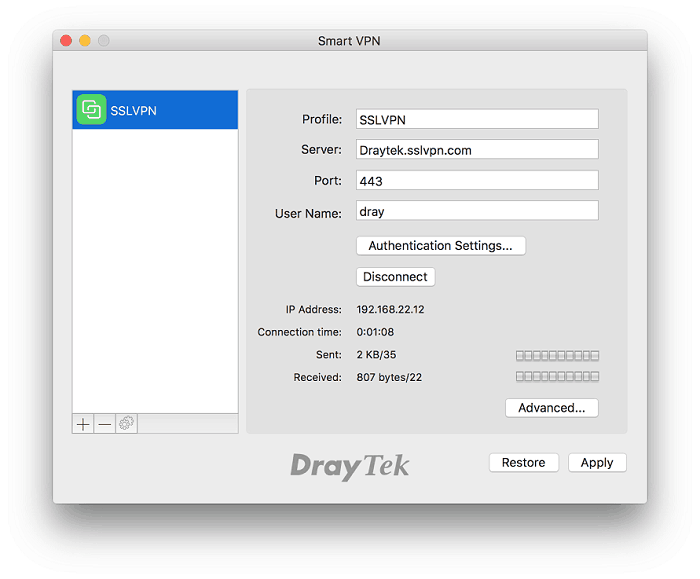
The setup process usually begins by downloading a VPN application from the App Store or installing a client on macOS. After installation, the app requests permission to add VPN configurations to the system.
Once permissions are granted, the user logs into the application. A list of available servers is typically displayed, allowing selection of a preferred location or automatic connection to an optimized server. When the VPN is active, a status icon appears in the system interface indicating secure traffic routing.
Settings and Customization Options
VPN applications for Apple devices often include additional settings that allow users to adjust how the connection behaves. These may include automatic connection on startup, protocol selection, and options for switching between servers based on performance or location.
Performance Considerations
Using a VPN may slightly reduce internet speed due to encryption and routing through remote servers. The impact depends on server distance, load, and protocol efficiency. In many cases, selecting a nearby server helps maintain more stable performance.
Conclusion
VPN setup on Apple https://toggle.org/vpn-for-ios devices can be completed either manually or through a dedicated application. Both methods provide encrypted connectivity, and the choice depends on user needs, technical experience, and the level of control required over network settings.
- Digital Agency
- Literie
- Location de voitures
- Restaurant
- Restaurant
- Mode
- Mode
- Information
- Marketing
- Tourisme
- Développement
- Découverte
- Législation
- Gastronomie
- Pâtisserie
- مناسبة
- Art
- Causes
- Crafts
- Dance
- Drinks
- Film
- Fitness
- Food
- الألعاب
- Gardening
- Health
- الرئيسية
- Literature
- Music
- Networking
- أخرى
- Party
- Religion
- Shopping
- Sports
- Theater
- Wellness
 Arabic
 Indian
 English
 French
 Spanish
 Portuguese
 Deutsch
 Turkish
 Dutch
Dutch
 Italiano
 Russian
 Romaian
 Portuguese (Brazil)
 Greek
Greek
