


How to Build a Disposable Email Checker for a SaaS Signup Flow
Introduction
A SaaS signup form looks simple from the user's perspective.
They enter an email address, choose a password, and click Create Account.
Behind that button, however, your application may be doing much more:
User
 ↓
Signup request
 ↓
Authentication
 ↓
Email validation
 ↓
Disposable email detection
 ↓
Account creation
 ↓
Trial allocation
 ↓
API credits
 ↓
Onboarding
If your product offers free trials, promotional credits, AI generations, API requests, storage, premium features, or other valuable resources, the quality of the email address can become an important part of signup protection.
This is where a disposable email checker can help.
A disposable email checker determines whether an email address is associated with a temporary or disposable email service. Instead of maintaining your own constantly changing list of temporary-email domains, you can integrate an API that provides this information during your signup process.
A typical architecture looks like:
                         SaaS Signup
                              │
                              ▼
                       Your Backend
                              │
                              ▼
                       Email Validation
                              │
                              ▼
                    Disposable Email Check
                              │
                ┌─────────────┴─────────────┐
                ▼                           ▼
          Normal Address             Disposable Address
                │                           │
                ▼                           ▼
          Normal Policy               Restrict / Review
                │                           │
                └─────────────┬─────────────┘
                              ▼
                       Account Decision
The important thing to understand is that disposable email detection is not the same thing as fraud detection.
A temporary address doesn't automatically mean the person is malicious. Likewise, a normal Gmail or company address doesn't automatically mean the account is trustworthy.
The purpose of a disposable email checker is to provide one useful signal that your application can combine with signup rate limits, account history, bot detection, trial policies, and other business rules.
This guide explains how to build that system, how to integrate an API such as MailCheck, how to handle errors, how to connect the checker to a SaaS signup flow, and how to avoid common implementation mistakes.
What Is a Disposable Email Checker?
A disposable email checker is a tool or API that determines whether an email address appears to belong to a temporary email service.
For example, a user might submit:
[email protected]
Your application sends the address to an email validation service.
The service may return information such as:
{
  "is_valid_format": true,
  "is_disposable": false,
  "is_free_provider": true,
  "is_role_account": false,
  "risk_score": 12
}
The exact response depends on the API provider.
Your application can then decide what to do.
For example:
if (result.is_disposable) {
    return restrictTrial();
}

return allowSignup();
This is much more useful than maintaining a simple local rule such as:
if (email.endsWith("@temporary-domain.com")) {
    block();
}
A production disposable email checker needs to account for a constantly changing ecosystem of temporary email services.
Why SaaS Applications Need a Disposable Email Checker
Not every SaaS product needs disposable email detection.
If your product has no free resources and registration has almost no marginal cost, you may decide that temporary addresses aren't important.
But consider a SaaS product that provides:
-
14-day trials
-
Free API credits
-
AI generations
-
Premium reports
-
Cloud storage
-
Promotional coupons
-
Referral rewards
-
Free exports
A repeated signup can create real business costs.
For example:
Account #1
 ↓
Free trial
 ↓
5,000 API credits
Then:
Account #2
 ↓
Free trial
 ↓
5,000 API credits
And again:
Account #3
 ↓
Free trial
 ↓
5,000 API credits
If your application has no controls around trial eligibility, the same incentive can potentially be consumed repeatedly.
Disposable email detection doesn't solve the entire problem, but it can make one part of that process more visible.
Disposable Email Detection Is a Signal, Not a Verdict
This is one of the most important principles when building a disposable email checker.
Do not implement:
is_disposable = true
        ↓
user is fraudulent
Instead, think:
is_disposable
+
signup velocity
+
account history
+
trial history
+
bot signals
        ↓
risk decision
A disposable address may be used by someone who wants privacy.
A non-disposable address may still be used for abuse.
Therefore, your application should decide how much weight the disposable signal receives.
For one SaaS product, you might completely block disposable addresses.
For another, you might allow the account but remove promotional credits.
For another, you might simply require email verification.
Build vs Buy: Should You Create Your Own Checker?
There are two ways to build a disposable email checker.
Option 1: Maintain Your Own Domain Database
You could create a database:
temporary-domain-a.com
temporary-domain-b.com
temporary-domain-c.com
Then check the submitted email's domain against it.
The architecture would be:
Signup
 ↓
Extract domain
 ↓
Your database
 ↓
Found?
 ↓
Decision
This sounds easy.
The problem is maintaining the database.
You need to account for:
-
New disposable domains
-
Expired domains
-
Domain ownership changes
-
New temporary-email providers
-
Subdomains
-
False positives
-
Domain reputation
-
Database update frequency
Unless email intelligence is itself your core product, maintaining this ecosystem can consume engineering time.
Option 2: Use a Disposable Email Detection API
The alternative is:
Signup
 ↓
Your Backend
 ↓
Email Validation API
 ↓
Disposable Status
 ↓
Signup Policy
This approach moves much of the email intelligence layer outside your application.
Your application focuses on:
-
Signup logic
-
User experience
-
Trial policy
-
Account history
-
Resource allocation
The API focuses on:
-
Email intelligence
-
Disposable detection
-
Domain checks
-
Validation signals
For many SaaS products, this separation is easier to maintain.
Why MailCheck Fits This Architecture
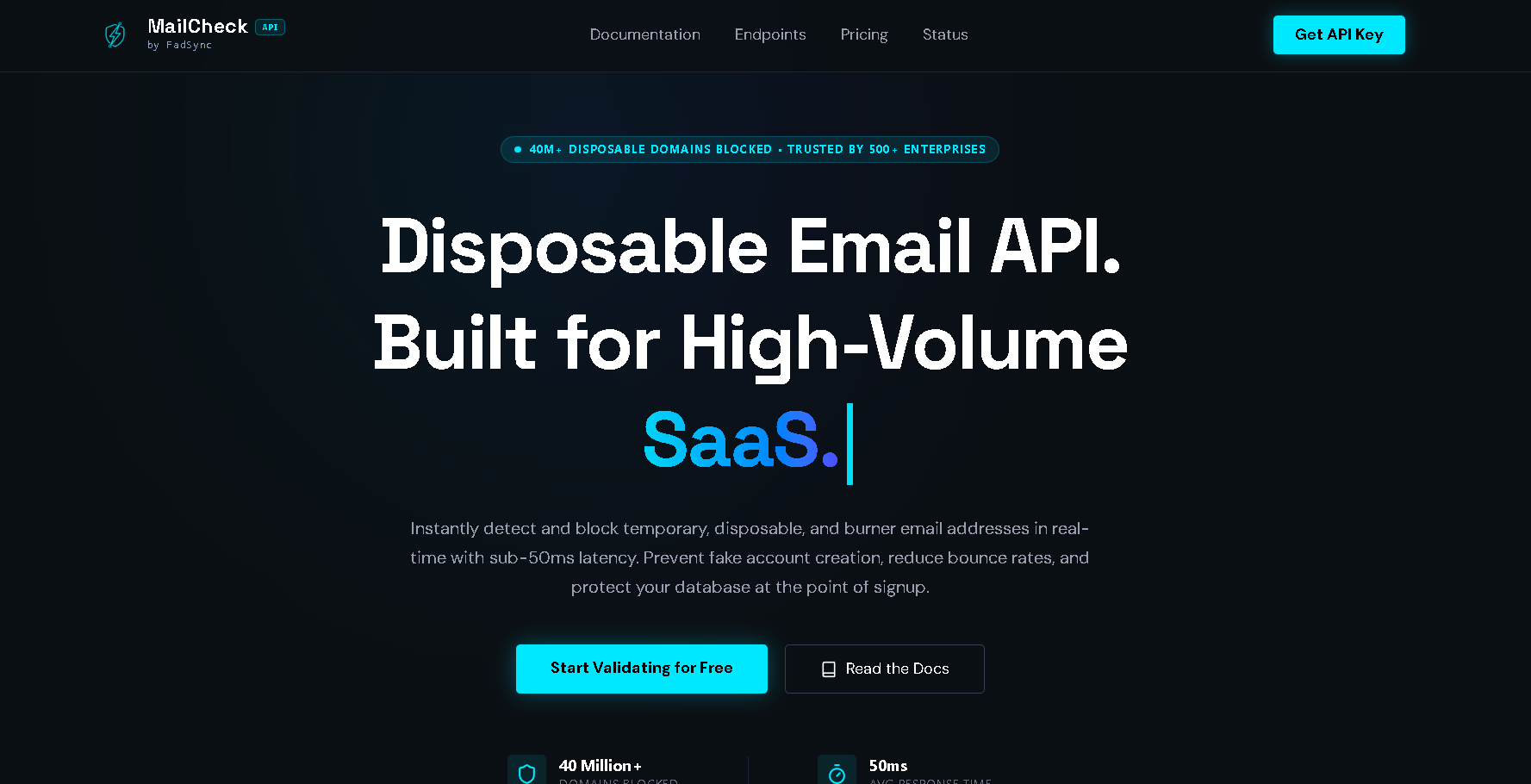
MailCheck by FadSync is positioned around developer-focused email validation and disposable email detection.
Its public product ecosystem includes a main validation service, documentation, developer guides, pricing information, comparison resources, and technical articles.
Developers can review the MailCheck validation service and use the MailCheck documentation to understand the API integration.
The architecture is straightforward:
SaaS
 ↓
Backend
 ↓
MailCheck
 ↓
Validation result
 ↓
Your business logic
This is an important separation.
MailCheck provides email-related signals.
Your application decides what those signals mean.
Step 1: Define Your Signup Policy
Before writing code, decide what should happen when an email is disposable.
Don't begin with:
if (is_disposable) block();
Start with a product decision.
For example:
| Email result | Possible action |
|---|---|
| Valid normal address | Allow |
| Invalid address | Reject |
| Disposable address | Restrict trial |
| High-risk result | Additional verification |
| API unavailable | Fallback policy |
This gives you much more flexibility.
Step 2: Decide Where the Checker Runs
A disposable email checker should normally run on the server side when using a private API credential.
The preferred architecture is:
Browser
 ↓
Your SaaS backend
 ↓
Disposable email API
rather than exposing a private API credential directly in browser code.
For example:
Browser
   ↓
POST /api/check-email
   ↓
Next.js server
   ↓
MailCheck API
This allows your backend to control:
-
API credentials
-
Rate limits
-
Retries
-
Caching
-
Logging
-
Validation policy
Step 3: Perform Basic Local Validation First
You don't need to send every malformed string to an external API.
First check whether the input looks like an email address.
For example:
function looksLikeEmail(email) {
  return email.includes("@") && email.includes(".");
}
This is only a basic example.
A production application should use an appropriate email syntax strategy rather than assuming a simple regex can fully validate every legal email address.
The key principle is:
Obvious bad input
 ↓
Reject locally
while:
Potentially valid input
 ↓
External email intelligence
This reduces unnecessary API calls.
Step 4: Send the Email to the API
Once basic validation succeeds, your backend can call your disposable email checker.
Conceptually:
const result = await validateEmail(email);

if (result.is_disposable) {
    return {
        allowed: false,
        reason: "disposable_email"
    };
}

return {
    allowed: true
};
The exact endpoint, authentication method, and response fields should follow the provider's current API contract.
For MailCheck, use the current API documentation rather than copying an old integration example from a third-party article.
Step 5: Keep the API Key Server-Side
Never treat a private API key as frontend configuration.
A server-side setup can use an environment variable:
MAILCHECK_API_KEY=your_private_api_key
Then your backend reads it.
For example:
const apiKey = process.env.MAILCHECK_API_KEY;
The browser should communicate with your application, not receive the private credential.
Step 6: Create a Dedicated Validation Endpoint
A clean Next.js architecture might look like:
app/
  api/
    validate-email/
      route.ts
Then:
POST /api/validate-email
receives the email address.
The endpoint can:
-
Validate input
-
Apply application rate limits
-
Call MailCheck
-
Interpret the result
-
Return a simplified decision
For example:
export async function POST(request) {
  const { email } = await request.json();

  if (!looksLikeEmail(email)) {
    return Response.json(
      { allowed: false, reason: "invalid_format" },
      { status: 400 }
    );
  }

  const result = await validateWithMailCheck(email);

  if (result.is_disposable) {
    return Response.json({
      allowed: false,
      reason: "disposable_email"
    });
  }

  return Response.json({
    allowed: true
  });
}
Your actual implementation should use the response structure documented by the API you're integrating.
Step 7: Don't Make the Browser Decide
A common mistake is:
if (result.is_disposable) {
    hideButton();
}
on the client and then assuming the user can't bypass it.
Anything enforced only in the browser can potentially be bypassed.
Instead, the server should make the authoritative decision:
Browser
 ↓
Backend
 ↓
Validation
 ↓
Policy
 ↓
Account creation
The frontend can still display useful messages.
But the backend should enforce the rule.
Step 8: Integrate the Checker Before Trial Allocation
This is particularly important for SaaS products.
Consider:
Signup
 ↓
Create account
 ↓
Give 10,000 credits
 ↓
Check email
The expensive resource has already been allocated.
A better sequence can be:
Signup
 ↓
Validate email
 ↓
Determine trial eligibility
 ↓
Create account
 ↓
Allocate appropriate resources
This doesn't mean you must reject every suspicious registration.
It means the business decision happens before the expensive resource allocation.
Step 9: Use Progressive Access
You don't have to choose between:
ALLOW
and:
BLOCK
A third option is:
LIMIT
For example:
Normal email
 ↓
Full trial
while:
Disposable email
 ↓
Account created
 ↓
No promotional credits
This can reduce abuse without making the entire product inaccessible.
Step 10: Combine the Checker With Rate Limiting
A disposable email checker cannot stop an automated signup system that sends thousands of requests using different email addresses.
That's why you should also rate-limit your own signup endpoint.
For example:
Internet
 ↓
Signup API
 ↓
Rate limiter
 ↓
Email checker
 ↓
Account policy
Possible controls include:
-
Requests per IP
-
Requests per session
-
Requests per email
-
Requests per account
-
Requests per time window
The exact thresholds depend on your product.
Step 11: Protect the Checker Endpoint
Your validation endpoint itself can become an abuse target.
Suppose you expose:
POST /api/validate-email
An attacker could repeatedly call it.
Your backend might then repeatedly call the external API.
The result could be:
Attacker
 ↓
Your validation endpoint
 ↓
Thousands of requests
 ↓
MailCheck
 ↓
Your API quota consumed
Therefore:
Public API
 ↓
Your rate limiter
 ↓
Validation endpoint
 ↓
MailCheck
is an important architecture.
Step 12: Add Request Deduplication
The same email address may be checked more than once.
For example:
Signup page
 ↓
Check email

Signup submission
 ↓
Check email again

Trial activation
 ↓
Check email again
You may not need three external requests.
You can maintain an internal short-lived result:
email hash
+
validation timestamp
+
result
Then reuse it where appropriate.
Don't assume validation results are permanent.
Use a reasonable TTL based on your application and the provider's guidance.
Step 13: Add Timeouts
External APIs are dependencies.
Your signup flow should not wait forever for one.
For example:
const controller = new AbortController();

const timeout = setTimeout(() => {
  controller.abort();
}, 3000);

try {
  const response = await fetch(url, {
    signal: controller.signal
  });

  return response;
} finally {
  clearTimeout(timeout);
}
The exact timeout should be tuned to your application's requirements.
A user-facing signup flow generally needs tighter latency than a background data-cleaning job.
Step 14: Handle HTTP 429
Your disposable email checker is an external API, so your application needs to handle rate limits.
HTTP 429 means the client has sent too many requests within a given period. A server may provide Retry-After to indicate when the client should try again.
Don't implement:
if (response.status === 429) {
    return retryImmediately();
}
Instead:
429
 ↓
Read Retry-After
 ↓
Wait
 ↓
Retry with backoff
 ↓
Stop after maximum attempts
This is especially important if your SaaS experiences signup spikes.
Step 15: Use Exponential Backoff
A basic strategy might be:
Attempt 1 → wait 1 second
Attempt 2 → wait 2 seconds
Attempt 3 → wait 4 seconds
Add jitter so multiple workers don't retry at exactly the same time.
For example:
const exponential = Math.pow(2, attempt) * 1000;
const jitter = Math.random() * 500;

const delay = exponential + jitter;
Use the provider's Retry-After guidance when it is available.
Step 16: Don't Retry Forever
A retry loop should always be bounded.
For example:
const MAX_RETRIES = 3;
After the maximum:
Retry exhausted
 ↓
Fallback policy
Your fallback might be:
Allow signup
or:
Create account but restrict trial
or:
Ask user to try again
Choose according to your business risk.
Step 17: Design a Fallback for API Failure
What happens when the disposable email checker is unavailable?
You need to decide this before production.
Fail closed
API unavailable
 ↓
Don't complete signup
Fail open
API unavailable
 ↓
Allow signup
Limited access
API unavailable
 ↓
Create account
 ↓
Delay promotional benefits
For many SaaS products, the third option can be a useful compromise.
Step 18: Keep Authentication Separate From Email Risk
Authentication systems and email validation solve different problems.
For example:
Clerk
 ↓
Authentication
and:
MailCheck
 ↓
Email intelligence
can coexist.
Clerk's current Next.js documentation supports both prebuilt signup components and custom signup flows.
A custom signup architecture can therefore look like:
User
 ↓
Next.js signup
 ↓
Email validation
 ↓
Signup policy
 ↓
Clerk signup
 ↓
Account
For developers using Clerk specifically, the current Clerk Next.js SDK documentation provides the relevant authentication integration references.
Step 19: Clerk + Next.js Example Architecture
A custom signup flow can be structured as:
app/
├── sign-up/
│   └── page.tsx
│
└── api/
    └── validate-email/
        └── route.ts
The signup page handles the user interface.
The API route handles email validation.
The authentication provider handles account authentication.
The overall flow becomes:
                 Signup Page
                      │
                      ▼
              Email submitted
                      │
                      ▼
            /api/validate-email
                      │
                      ▼
                 MailCheck
                      │
                      ▼
              Signup decision
                      │
                      ▼
                  Clerk
                      │
                      ▼
                  Account
Clerk's current documentation explains how to build a dedicated Next.js signup page and how custom flows can be used when the prebuilt components don't provide enough control.
Step 20: Decide Whether Disposable Email Means "Block"
This is the product decision that matters most.
Don't copy another SaaS's policy blindly.
Instead ask:
What does a disposable address cost us?
If the answer is:
Almost nothing.
You might allow it.
If the answer is:
Every signup gets $20 of free resources.
You might restrict the benefit.
If the answer is:
Every account can perform expensive processing.
You may want a stronger policy.
Three Practical Disposable Email Policies
Policy A: Hard Block
Disposable
 ↓
Reject signup
This is simple.
But it can produce false positives and user friction.
Policy B: Soft Restriction
Disposable
 ↓
Create account
 ↓
No free credits
This can be more user-friendly.
Policy C: Additional Verification
Disposable
 ↓
Require additional verification
 ↓
Continue
This lets the business distinguish between low-risk and higher-risk situations.
How to Detect Disposable Emails Without Hurting Legitimate Users
The best implementation is usually not:
Disposable = block
for every product.
Instead:
Disposable
+
Account context
+
Business value
+
Behavior
should determine the action.
For example:
Disposable email
+
Normal signup behavior
=
Allow account, restrict trial
while:
Disposable email
+
10 previous trials
+
High signup velocity
=
Block or challenge
The second situation is much stronger evidence of abuse.
Why Free Email Providers Shouldn't Automatically Be Blocked
A common mistake is confusing:
Free email
with:
Disposable email
A Gmail or Outlook address can belong to a completely legitimate customer.
Therefore:
is_free_provider = true
should not automatically mean:
reject
The disposable classification is a separate signal.
What About Role Accounts?
Addresses such as:
[email protected]
[email protected]
[email protected]
[email protected]
may be legitimate.
A B2B application may want to treat them differently.
Again, the API should provide information while your application decides the policy.
Build a Risk-Based Signup System
Instead of one boolean:
is_disposable
you can build a broader internal model:
Email quality
+
Signup velocity
+
Account history
+
Trial history
+
Bot signals
Then:
Low risk
 ↓
Allow

Medium risk
 ↓
Verify

High risk
 ↓
Restrict

Very high risk
 ↓
Block
This is generally more flexible than treating one email attribute as a complete identity decision.
A Practical Internal Data Model
You could store a result internally like:
type EmailRisk = {
  valid: boolean;
  disposable: boolean;
  roleAccount?: boolean;
  freeProvider?: boolean;
  riskScore?: number;
  checkedAt: string;
};
Your business logic then works against your own model.
That makes it easier to change providers later.
For example:
MailCheckAdapter
HunterAdapter
AbstractAdapter
OtherProviderAdapter
could all produce:
EmailRisk
Your signup code doesn't need to know which provider produced the result.
Example Provider Adapter
Conceptually:
async function checkEmail(email: string): Promise<EmailRisk> {
  const result = await mailcheckVerify(email);

  return {
    valid: result.is_valid_format,
    disposable: result.is_disposable,
    roleAccount: result.is_role_account,
    freeProvider: result.is_free_provider,
    riskScore: result.risk_score,
    checkedAt: new Date().toISOString()
  };
}
The exact property names should match the current API response.
Why This Abstraction Helps
Imagine your signup logic contains:
if (mailcheckResponse.is_disposable) {
throughout your codebase.
Now you switch providers.
You have to change many files.
Instead:
if (emailRisk.disposable) {
lets your application remain provider-independent.
This is an important architecture decision for growing SaaS companies.
Add Logging and Monitoring
A production disposable email checker should provide operational visibility.
Track:
Validation requests
Disposable classifications
Invalid classifications
API latency
429 responses
5xx responses
Timeouts
Fallback events
Signup decisions
Then you can answer:
Is the checker actually improving signup quality?
Track Disposable Email Percentage
One useful metric is:
Disposable signups
------------------
Total signups
For example:
1,000 disposable classifications
/
50,000 signups
=
2%
The percentage itself isn't necessarily good or bad.
It is a baseline.
You can compare it over time.
Track the Business Impact
Don't stop at:
Disposable emails detected: 5,000
Ask:
-
How many trials were prevented?
-
How many credits were protected?
-
Did activation improve?
-
Did paid conversion improve?
-
Did legitimate signup conversion decline?
-
Did support volume change?
The business outcome is more important than the raw number of blocks.
Measure False Positives
Suppose your checker identifies 1,000 disposable addresses.
If 20 legitimate customers were incorrectly restricted, that matters.
Therefore, monitor:
False positives
+
False negatives
and periodically review borderline cases.
Build a Test Dataset
Before enforcing a hard policy, create a test dataset containing:
Normal consumer emails
Business emails
Disposable emails
Role accounts
Invalid addresses
Unusual domains
Run them through your checker.
Measure:
Correct disposable detection
Correct normal classification
False positives
False negatives
Latency
This gives you evidence before changing your production signup rules.
Test From Your Actual Infrastructure
API latency from your laptop isn't necessarily the latency experienced by your production users.
Test from the same environment your backend uses.
For example:
Production region
 ↓
Your backend
 ↓
MailCheck
Measure:
p50
p95
p99
This gives you a more useful operational baseline.
Don't Validate on Every Keystroke
This is one of the easiest ways to waste API requests.
If the user types:
j
jo
joh
john
john@
john@g
john@gm
john@gmail
[email protected]
your frontend should not necessarily call the external API ten times.
Instead:
User finishes input
 ↓
Debounce
 ↓
Basic validation
 ↓
API request
Or simply validate on form submission.
Debouncing Example
A simple frontend pattern:
let timer;

function handleEmailChange(email) {
  clearTimeout(timer);

  timer = setTimeout(() => {
    validateEmail(email);
  }, 500);
}
For many signup flows, validation on submit is even simpler.
The important thing is to avoid unnecessary external requests.
Use Bulk Validation for Existing Users
Real-time checking handles new signups.
But you may already have a database containing thousands or millions of users.
For that, use a background workflow:
Existing database
 ↓
Queue
 ↓
Bulk validation
 ↓
Results
 ↓
Account policy
Don't make a million synchronous requests from one HTTP request.
Keep Bulk and Interactive Traffic Separate
A large cleanup job shouldn't consume the capacity needed by real users.
Use:
Interactive validation
 ↓
High priority
and:
Bulk validation
 ↓
Background queue
This makes your application more resilient during traffic spikes.
Rate Limit Bulk Workers
Even background workers need traffic control.
Instead of:
1,000 workers
 ↓
API
use:
Queue
 ↓
Controlled workers
 ↓
Rate limiter
 ↓
API
This reduces the likelihood of hitting upstream rate limits.
Handle 429s in Bulk Jobs
A background worker can safely pause and retry.
For example:
Worker
 ↓
429
 ↓
Read Retry-After
 ↓
Pause
 ↓
Retry
This is much easier to implement in an asynchronous queue than inside a user-facing HTTP request.
What Happens If the API Goes Down?
Your signup system needs a policy.
For example:
MailCheck unavailable
 ↓
Create account
 ↓
Require email verification
 ↓
Do not issue promotional credits
This can protect availability without completely removing abuse controls.
Another application may choose to fail closed.
The right choice depends on your product.
Protect the Expensive Part of Your Product
You don't necessarily need to protect every feature equally.
For example:
Account creation
 ↓
Allowed

Premium AI generation
 ↓
Requires verified email
This approach can reduce friction.
Instead of blocking a questionable user from the entire application, you protect the part that actually costs your business money.
Disposable Email Checker + Email Verification
These are different mechanisms.
Disposable detection
Asks:
Is this address associated with a temporary/disposable service?
Email verification
Asks:
Can the user demonstrate control of this email address?
A strong signup system can use both:
Email validation
 ↓
Disposable check
 ↓
Verification email
 ↓
Trial eligibility
This provides multiple signals.
Why Verification Alone Isn't Enough
A disposable address can still receive a verification email.
The user may successfully verify it.
So:
Email verified
doesn't necessarily mean:
Permanent customer
That's why disposable detection can complement traditional email verification.
Why Disposable Detection Alone Isn't Enough
Likewise:
Not disposable
doesn't mean:
Trusted customer
A user can abuse a SaaS application with a normal email address.
Therefore, keep:
Email quality
and:
Account behavior
as separate concepts.
A Complete Signup Architecture
Putting everything together:
                           USER
                             │
                             ▼
                       Signup Form
                             │
                             ▼
                    Your Signup API
                             │
                             ▼
                      Rate Limiter
                             │
                             ▼
                    Local Validation
                             │
                             ▼
                    Disposable Checker
                             │
              ┌──────────────┴──────────────┐
              ▼                             ▼
        Normal Address              Disposable Address
              │                             │
              ▼                             ▼
        Risk Evaluation              Trial Restriction
              │                             │
              └──────────────┬──────────────┘
                             ▼
                     Email Verification
                             │
                             ▼
                     Account Creation
                             │
                             ▼
                     Trial Eligibility
                             │
                             ▼
                     Resource Allocation
This architecture makes the disposable email checker one component of a larger system.
Security Considerations
A disposable email checker doesn't replace standard application security.
Your signup flow should still protect against:
-
Request flooding
-
Credential abuse
-
Automated registration
-
Session abuse
-
API key exposure
-
Account enumeration
-
Duplicate account creation
Email validation is an input-quality control, not a complete security boundary.
Privacy Considerations
Email addresses may constitute personal data depending on the context and jurisdiction.
Before sending user addresses to a third-party validation provider, review:
-
Data processing terms
-
Retention policies
-
Logging
-
Security controls
-
Geographic processing
-
Privacy requirements
For MailCheck, review the current privacy policy and terms as part of your vendor review.
Don't treat an API integration as a substitute for your organization's privacy assessment.
Don't Store More Email Data Than Necessary
If your application only needs to know:
is_disposable = true
you may not need to retain every API response forever.
Keep only what your application actually needs.
For debugging, use internal request IDs rather than unnecessarily putting complete email addresses into logs.
Pricing Your Disposable Email Checker
The cost calculation is straightforward:
Monthly signups
×
Validation requests per signup
=
Monthly validation requests
For example:
100,000 signups
×
1 validation
=
100,000 requests
But also account for:
Retries
+
Duplicate requests
+
Bulk jobs
+
Administrative checks
Your real API usage can therefore be higher than your signup count.
Review the current MailCheck pricing before selecting a plan.
Start With a Free API Key
One of the easiest ways to evaluate a disposable email checker is to test it against your actual workflow.
MailCheck provides a free starting option.
Developers can get a free MailCheck API key and test the integration before moving to a production plan.
A practical evaluation process is:
Get API key
 ↓
Build small endpoint
 ↓
Test sample addresses
 ↓
Measure latency
 ↓
Test disposable detection
 ↓
Test 429 handling
 ↓
Test fallback
 ↓
Deploy gradually
Read the API Documentation Before Production
Don't build a production integration from a marketing page alone.
Check:
-
Authentication
-
Endpoint URLs
-
Request format
-
Response format
-
Error codes
-
Rate limits
-
Retry behavior
-
Bulk limits
-
SDK versions
The current MailCheck developer documentation should be the primary reference for the current API contract.
Useful Developer Resources Around MailCheck
If you're building a larger signup-protection system, the MailCheck ecosystem also contains technical resources around related implementation problems.
For example, developers dealing with API rate limiting can review the guide to handling 429 Too Many Requests errors.
For applications that specifically need disposable-address controls, the guide to detecting and blocking disposable email addresses provides a more focused implementation topic.
Developers using Clerk and Next.js can also review the Clerk and Next.js disposable-email guide.
For SaaS applications where the problem is repeated trial creation, the free-trial abuse prevention guide covers the broader business problem.
These resources can be treated as supporting material rather than replacing the API documentation.
Build Authority Around the Problem, Not Just the Product
If you're developing content around disposable email detection, don't create every article as a sales page.
Developers searching for a disposable email checker may also need answers to:
-
How does disposable email detection work?
-
How do I integrate it with Next.js?
-
How do I use it with Clerk?
-
How do I handle API rate limits?
-
How do I prevent trial abuse?
-
How do I validate emails in bulk?
-
What happens when the API fails?
-
How should I handle false positives?
A useful content ecosystem can therefore include technical guides alongside the main product page.
The MailCheck blog can serve as the central content hub for these topics.
Supporting Technical Content
For example, a SaaS developer researching disposable email detection may also benefit from:
These topics support the same broader technical subject: improving SaaS signup quality.
Comparing Disposable Email Checker Options
When evaluating providers, don't simply compare domain-count claims.
Compare:
| Criterion | Why it matters |
|---|---|
| Disposable detection | Core requirement |
| False positives | Protects legitimate users |
| API latency | Important for signup |
| Reliability | Protects registration flow |
| Rate limits | Determines throughput |
| Pricing | Controls operating cost |
| SDKs | Reduces integration effort |
| Documentation | Improves developer experience |
| Bulk support | Useful for existing data |
| Privacy | Important for user data |
| Error handling | Improves production resilience |
A useful provider should perform well against the actual requirements of your SaaS.
How to Benchmark a Disposable Email Checker
Create a test set.
For example:
10,000 legitimate addresses
10,000 disposable addresses
1,000 invalid addresses
1,000 role addresses
Then record:
Correct disposable detections
False positives
False negatives
p50 latency
p95 latency
p99 latency
API errors
429 responses
This gives you evidence specific to your workload.
Don't Rely on Marketing Claims Alone
If a provider says:
99.9% accuracy
ask:
-
What dataset?
-
What definition of accuracy?
-
When was it measured?
-
Was the test independent?
-
How were legitimate addresses selected?
-
How were disposable addresses verified?
This doesn't mean marketing claims are useless.
It means they should be interpreted in context.
Monitor the Checker After Launch
Your testing isn't finished when the integration goes live.
Track:
Validation volume
 ↓
Disposable percentage
 ↓
Signup conversion
 ↓
Trial activation
 ↓
Paid conversion
You may discover that a policy that looked good in testing needs adjustment.
For example:
Disposable emails blocked ↑
Signup conversion ↓↓↓
could indicate excessive friction.
Whereas:
Disposable emails restricted ↑
Trial abuse ↓
Paid conversion stable
could indicate that your policy is working well.
The Goal Is Not Maximum Blocking
This is worth repeating.
The objective isn't:
Block the most users
The objective is:
Reduce economically meaningful abuse
+
Preserve legitimate signup conversion
That means measuring both sides.
A Good Production Checklist
Before launching your disposable email checker, verify:
-
API key is server-side
-
Basic local validation exists
-
Signup endpoint is rate-limited
-
Validation endpoint is protected
-
Disposable detection is server-enforced
-
API timeouts are configured
-
429 handling exists
-
Retry count is bounded
-
Exponential backoff is implemented
-
Fallback policy is defined
-
Duplicate validation is minimized
-
Bulk jobs use queues
-
Interactive traffic has priority
-
API usage is monitored
-
False positives are measured
-
Privacy requirements are reviewed
-
Trial policy is defined
-
Expensive resources are protected
-
Production behavior is monitored
Common Mistakes to Avoid
Mistake 1: Checking only the frontend
A user can bypass client-side checks.
Always enforce important policies server-side.
Mistake 2: Blocking every disposable email
This may create unnecessary friction.
Use a policy appropriate to your product.
Mistake 3: Treating Gmail as suspicious
Free email providers are not the same thing as disposable providers.
Mistake 4: Calling the API on every keystroke
This wastes requests and can increase latency.
Mistake 5: Exposing the API key
Keep private credentials on the server.
Mistake 6: No rate limiting
Your own validation endpoint can become an abuse target.
Mistake 7: Infinite retries
This can turn temporary rate limits into request storms.
Mistake 8: No fallback
External APIs can experience temporary failures.
Mistake 9: No monitoring
You won't know whether your policy is actually improving the business.
Mistake 10: Assuming disposable detection equals fraud detection
It doesn't.
Frequently Asked Questions
What is a disposable email checker?
A disp
- Digital Agency
- Literie
- Location de voitures
- Restaurant
- Restaurant
- Mode
- Mode
- Information
- Marketing
- Tourisme
- Développement
- Découverte
- Législation
- Gastronomie
- Pâtisserie
- Event
- Art
- Causes
- Crafts
- Dance
- Drinks
- Film
- Fitness
- Food
- Games
- Gardening
- Health
- Home
- Literature
- Music
- Networking
- Other
- Party
- Religion
- Shopping
- Sports
- Theater
- Wellness
 English
 Indian
 French
 Arabic
 Spanish
 Portuguese
 Deutsch
 Turkish
 Dutch
Dutch
 Italiano
 Russian
 Romaian
 Portuguese (Brazil)
 Greek
Greek
