


How to Renew Your Green Card Online in 2026: A Step-by-Step Guide
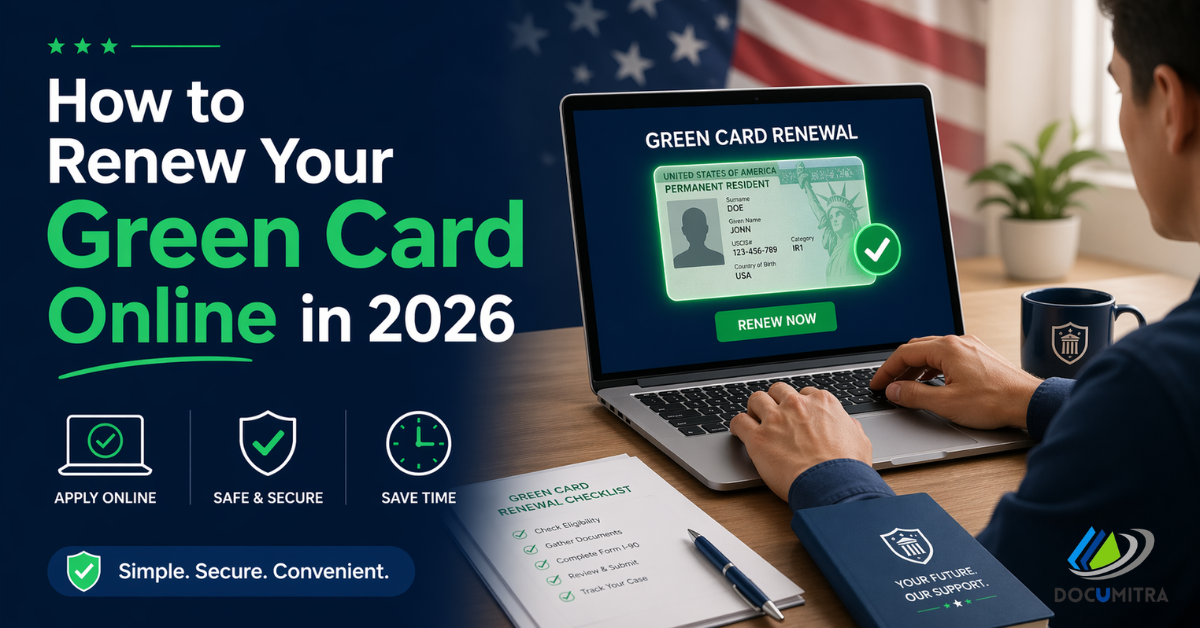
If your Green Card is expiring soon, don't panic. Renewing it is simpler than most people think — especially if you do it online. This guide walks you through everything you need to know in plain, easy-to-follow steps.
Why You Need to Renew Your Green Card
Your Green Card (also called a Permanent Resident Card) proves that you have the legal right to live and work in the United States. While your permanent resident status never expires, the physical card does — usually every 10 years.
An expired card can cause real problems:
- Employers can't use it to verify your work authorization
- You may face issues re-entering the US after travel
- It can cause complications when applying for loans, licenses, or benefits
The good news? You don't lose your status just because the card expired. You just need a valid card to prove it.
When Should You Apply?
Apply 6 months before your card expires. Don't wait until the last minute. USCIS recommends filing early because processing times in 2026 are running around 11 to 12 months.
Also important — don't file more than 6 months early. USCIS may reject your application if you file too soon.
If your card is already expired, file immediately.
Quick tip: Check the expiration date on the front of your card. It's listed under "Card Expires."
What You'll Need Before You Start
Before jumping into the application, gather the following:
- Your current Green Card (front and back copy)
- A valid government-issued photo ID
- Your Alien Registration Number (the "A-Number" starting with "A" on your card)
- A credit or debit card to pay the filing fee
- Additional documents if your name has changed (marriage certificate or court order)
- A police report if your card was lost or stolen
That's it for most standard renewals. Keep everything nearby before you begin.
Step-by-Step: How to Renew Your Green Card Online
Step 1: Create or Log Into Your myUSCIS Account
Go to myaccount.uscis.gov and sign in. If you don't have an account yet, creating one takes just a few minutes. You'll need a valid email address.
Once logged in, you'll land on your dashboard where you can manage all your USCIS applications.
Step 2: Start Your Form I-90 Application
Form I-90 is the official form for renewing or replacing your Green Card. On your dashboard, click "File a Form Online" and select Form I-90 – Application to Replace Permanent Resident Card.
The form will guide you through each section step by step.
Step 3: Fill Out the Form Accurately
Here's what you'll typically need to fill in:
- Personal information
- Your A-Number — found on your current Green Card
- Reason for renewal — most people select "My previous card has expired or will expire within 6 months"
- Travel history — trips outside the US longer than 6 months
- Contact details — phone number and email
Common mistake to avoid: Make sure your A-Number is entered correctly. It's a 9-digit number. If it shows fewer than 9 digits on your card, add a zero at the beginning.
Step 4: Upload Your Supporting Documents
After completing the form, you'll be prompted to upload digital copies of your documents. For a standard renewal, you typically only need:
- A copy of your expiring or expired Green Card (front and back)
If there are changes to your name or other details, upload the relevant supporting documents at this stage.
Accepted file types are PDF, JPEG, and PNG.
Step 5: Review Your Application
Before paying, carefully review everything you've entered. Check for:
- Spelling of your name (must match your Green Card exactly)
- Correct A-Number
- Right address (this is where your new card will be mailed)
A small mistake here can cause delays or even a rejection.
Step 6: Pay the Filing Fee
As of 2026, the filing fee for online renewal is $415. This is $50 less than the paper filing fee ($465), which is one good reason to file online.
Payment is made electronically through Pay.gov — you can use a credit card, debit card, or direct bank transfer. USCIS no longer accepts checks or money orders for online filings.
Can't afford the fee? You may qualify for a fee waiver if you receive government benefits like Medicaid or SNAP, or if your income falls below 150% of the Federal Poverty Guidelines. File Form I-912 to request a waiver.
Step 7: Submit Your Application
Once you've reviewed everything and paid the fee, hit Submit. You'll receive an immediate confirmation on screen and a confirmation email.
Keep this confirmation — it has your receipt number, which you'll use to track your case.
Step 8: Watch for Your Receipt Notice (Form I-797C)
Within 1 to 3 weeks of submitting, USCIS will mail you a receipt notice (Form I-797C). This is important.
The receipt notice automatically extends your Green Card's validity by 36 months from the expiration date. Carry this notice along with your expired card as proof of your legal status while you wait for your new card.
You can use this combination for:
- Proving work authorization to employers
- Re-entering the US after travel (check airline and destination country rules first)
- Everyday identification purposes
Step 9: Attend Your Biometrics Appointment (If Required)
Some applicants will receive a notice scheduling a biometrics appointment at a USCIS Application Support Center (ASC). At this appointment, USCIS will collect your fingerprints, photo, and signature for identity verification.
Bring:
- Your biometrics appointment notice
- A valid photo ID
Green card renewal made easy — from form to filing. Thousands trust Documitra to get their permanent resident card renewed without the hassle.
Step 10: Track Your Case Online
You can monitor the status of your application anytime through your myUSCIS account or at egov.uscis.gov/casestatus using your receipt number.
USCIS will notify you by email as your case moves through different stages. Average processing time in 2026 is around 11 months, so be patient.
Step 11: Receive Your New Green Card
Once USCIS approves your application, your new Green Card will be mailed to the address you provided. It arrives in a plain white envelope — keep an eye on your mailbox.
Once received, sign your card immediately and store it in a safe place.
What If You Need Your Card Urgently?
If you have an urgent situation — such as international travel, a new job, or a medical emergency — you can request expedited processing. You'll need to provide documentation that supports your urgent need.
You can also visit a USCIS field office and request an ADIT stamp in your passport. This stamp serves as temporary proof of your permanent resident status and is usually valid for 6 to 12 months.
Quick Summary Checklist
|
Step |
Action |
|
1 |
Log into myUSCIS account |
|
2 |
Start Form I-90 online |
|
3 |
Fill in all personal details accurately |
|
4 |
Upload required documents |
|
5 |
Review your application carefully |
|
6 |
Pay the $415 filing fee |
|
7 |
Submit and save your confirmation |
|
8 |
Receive and carry your receipt notice |
|
9 |
Attend biometrics (if required) |
|
10 |
Track your case online |
|
11 |
Receive your new Green Card |
Final Thoughts
Renewing your Green Card online in 2026 is straightforward when you know the steps. The key is to start early, be accurate, and keep copies of everything you submit.
If your situation is complicated — such as a criminal history, long trips abroad, or a previous denial — it's worth consulting an immigration professional before filing.
For an easier renewal experience, document preparation services like Documitra can help you prepare your application correctly, reducing the risk of delays or rejections.
Start your renewal today and protect your status as a lawful permanent resident in the United States.
- Digital Agency
- Literie
- Location de voitures
- Restaurant
- Restaurant
- Mode
- Mode
- Information
- Marketing
- Tourisme
- Développement
- Découverte
- Législation
- Gastronomie
- Pâtisserie
- Event
- Art
- Causes
- Crafts
- Dance
- Drinks
- Film
- Fitness
- Food
- Games
- Gardening
- Health
- Home
- Literature
- Music
- Networking
- Other
- Party
- Religion
- Shopping
- Sports
- Theater
- Wellness
 English
 Indian
 French
 Arabic
 Spanish
 Portuguese
 Deutsch
 Turkish
 Dutch
Dutch
 Italiano
 Russian
 Romaian
 Portuguese (Brazil)
 Greek
Greek
