


How Does an ERP Document Manager Compare to Standalone Cloud Storage Tools Like Google Drive or Dropbox?
Introduction: Let me guess what happened
Your team needed a place to store files. Someone suggested Google Drive. It's free. It's easy. Everyone already has an account.
So you started using it.
Fast forward six months. You've got 47 folders with names like "Q2_FINAL," "Q2_FINAL_REVISED," and "Q2_ACTUAL_FINAL_USE_THIS_ONE." Three people have their own versions of the customer list. Nobody knows which contract template is current. And yesterday, someone accidentally deleted an entire folder of invoices.
Google Drive didn't fail you. You just asked it to do a job it wasn't designed for.
Here's the truth: cloud storage tools are great at storing files. ERP document managers are built to run businesses.
Let me show you the difference.
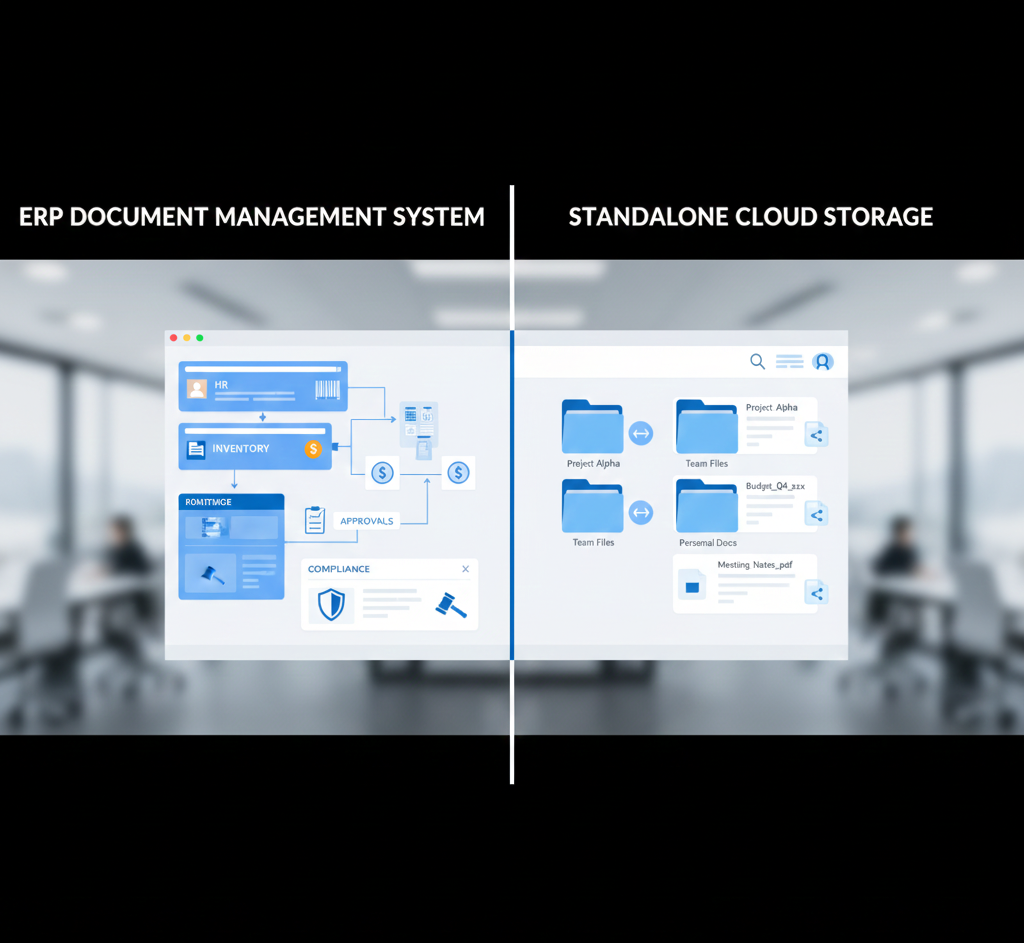
The Core Problem: Storage vs. Management
Cloud storage thinks about files. Where should this live? Who can see it? Is there enough space?
ERP document management thinks about business processes. What is this document? Where does it fit in our workflow? Who needs to approve it? What happens next?
That's not a small difference. That's everything.
Example: Processing an Invoice
With Google Drive:
- Invoice arrives via email
- Someone downloads it
- They upload it to the "Invoices" folder
- They email accounting to let them know it's there
- Accounting opens it, manually enters data into their system
- Someone else checks if there's a matching purchase order (in a different folder)
- A manager approves via email
- AP processes payment and marks the invoice "paid" by moving it to another folder
Eight steps. Four people. Multiple systems. Tons of room for error.
With an ERP document manager:
- Invoice arrives and automatically enters the system
- AI extracts vendor, amount, PO number, and due date
- System matches it to the existing purchase order
- Routes it to the right approver based on amount and department
- Approver clicks "approve" in their dashboard
- System triggers payment workflow and updates accounting records
- Invoice status changes to "paid" automatically
One system. Mostly automated. Nearly impossible to screw up.
Feature Comparison: What You Actually Get
Search Capabilities
Google Drive/Dropbox:
- Searches file names and basic text
- Can't read inside scanned PDFs or images
- No understanding of document content
- Results are just a list of files
ERP Document Manager:
- Reads and understands document content using AI
- Searches scanned documents, handwritten notes, and images
- Answers questions like "show me unpaid invoices over $5,000"
- Returns documents with context and related files
- Filters by metadata the system extracted automatically
Real impact: A construction company switched from Dropbox to an ERP system. Before, finding a specific subcontractor agreement took 15-20 minutes of folder browsing. After, they typed the contractor's name and got it instantly, along with related change orders and insurance certificates.
Organization and Structure
Google Drive/Dropbox:
- Folders and subfolders (that you create manually)
- Tags (that you add manually)
- Naming conventions (that people forget)
- Shared drives (that become dumping grounds)
ERP Document Manager:
- Automatic classification by document type
- AI-extracted metadata (dates, amounts, names, reference numbers)
- Links documents to business records (customers, vendors, projects, employees)
- Enforces consistent organization rules
- Dynamic views (show me all documents related to Project X)
The chaos factor: In Google Drive, your organization is only as good as your most disorganized employee. In an ERP, the system enforces structure.
Version Control
Google Drive/Dropbox:
- Tracks versions (good!)
- Shows edit history
- Can restore previous versions
- But... relies on people editing the right file
ERP Document Manager:
- Everything Google Drive does, plus:
- Prevents simultaneous editing conflicts
- Requires check-in/check-out for critical documents
- Links versions to approval workflows
- Maintains version history even when documents move between systems
- Shows exactly which version was sent to which customer
Horror story: A manufacturing company sent a proposal using an old pricing sheet from Google Drive. They lost $18,000 on the contract. Their ERP now flags any document older than 90 days and requires confirmation before external sharing.
Permissions and Security
Google Drive/Dropbox:
- Share with anyone (inside or outside your organization)
- View, comment, or edit permissions
- Link sharing (can be forwarded to anyone)
- Folder-level permissions
ERP Document Manager:
- Role-based access tied to business functions
- Department and document-type restrictions
- Field-level security (see the invoice, but not the vendor's bank details)
- Automatic access revocation when employees leave
- No external sharing without explicit approval
- Complete audit trail of who viewed or edited what
Compliance difference: A healthcare provider got audited. Google Drive couldn't prove who accessed patient documents or when. They failed. An ERP would have logged every single access with timestamps.
Workflow Automation
Google Drive/Dropbox:
- None (you need separate tools like Zapier)
- Manual email notifications
- No approval processes
- No routing based on content
ERP Document Manager:
- Documents route themselves based on type and content
- Automatic approval workflows with escalation
- Notifications when action is needed
- Integration with business processes (invoice → approval → payment)
- Deadline tracking and reminders
Time savings: An accounting firm was manually routing tax documents to the right preparer. 6 hours per week during tax season. Their ERP reads the document type and client name, then routes it automatically. Those 6 hours? Gone.
Integration with Business Systems
Google Drive/Dropbox:
- Stores files
- Integrates with... more storage tools
- Requires manual export/import to business systems
- No connection to your accounting, HR, or operations data
ERP Document Manager:
- Documents live inside your business system
- Automatically linked to customers, vendors, employees, projects
- Data flows between documents and transactions
- Open an invoice, see the related PO, shipment, and payment—all in one place
- Changes in business records update document metadata
The integration gap: You're looking at a customer in your CRM. Want to see their signed contract? In Google Drive, you search, hope it's named correctly, and open it separately. In an ERP, you click "Documents" on the customer record. Done.
Compliance and Retention
Google Drive/Dropbox:
- You manually delete old files
- No automatic retention policies
- No guarantee documents aren't altered
- Limited audit capabilities
ERP Document Manager:
- Automatic retention rules by document type
- Cannot delete documents that are still legally required
- Tamper-proof archiving for regulated industries
- Complete audit logs for compliance reporting
- Automated alerts before retention periods expire
Real consequences: A public accounting firm kept client records in Dropbox. An employee accidentally deleted 3 years of files. They were recoverable from the trash—barely. An ERP would have prevented deletion of documents still under legal hold.
Cost: The Hidden Difference
Google Drive looks cheaper. $12 per user per month for business. Dropbox is similar.
But here's what you're not counting:
- Hours spent searching for documents
- Time manually entering data that could be extracted
- Mistakes from version confusion or missing files
- Compliance violations from inadequate security
- IT time building workarounds and integrations
- Productivity lost to disorganization
Real numbers: A mid-sized retailer calculated their "free" Google Drive was costing them 20 employee hours per week in document chaos. At $25/hour, that's $26,000 annually in lost productivity.
Their ERP document manager cost $8,000 per year but recovered those 20 hours. Net savings: $18,000.
When Google Drive Actually Makes Sense
Look, I'm not saying cloud storage is evil.
Use Google Drive or Dropbox when:
- You're a tiny business (under 10 people)
- Documents aren't tied to business processes
- You need to collaborate on drafts with external people
- You're sharing marketing materials or resources
- Compliance and audit trails don't matter
Use an ERP document manager when:
- You have departments that need to share information
- Documents drive business processes (invoices, contracts, orders)
- You're in a regulated industry
- Finding documents quickly matters
- You process high volumes of paperwork
- People are wasting time on manual document tasks
The Bottom Line: Tools vs. Systems
Google Drive is a tool. A good one. It holds files and lets people access them.
An ERP document manager is a system. It understands your business, automates your workflows, and connects your documents to everything else you do.
If you're running a business that processes more than a handful of documents per day—if you have departments that depend on each other—cloud storage alone will eventually betray you.
Not because it's bad. Because it was never designed to manage business operations.
You wouldn't use a hammer to build an entire house. Don't use a storage tool to manage a business.
Tired of searching through folders and wondering which version is current? Intersoft ERP connects your documents to your business processes—so your team stops wasting time and starts working smarter. See the difference.
- Digital Agency
- Literie
- Location de voitures
- Restaurant
- Restaurant
- Mode
- Mode
- Information
- Marketing
- Tourisme
- Développement
- Découverte
- Législation
- Gastronomie
- Pâtisserie
- Event
- Art
- Causes
- Crafts
- Dance
- Drinks
- Film
- Fitness
- Food
- Games
- Gardening
- Health
- Home
- Literature
- Music
- Networking
- Other
- Party
- Religion
- Shopping
- Sports
- Theater
- Wellness
 English
 Indian
 French
 Arabic
 Spanish
 Portuguese
 Deutsch
 Turkish
 Dutch
Dutch
 Italiano
 Russian
 Romaian
 Portuguese (Brazil)
 Greek
Greek
